Choose Mac, Windows or Ubuntu/Linux instructions. Current builds guide you through USB and feature setup inside the desktop app.
02
Then choose what you want to do
Each feature guide explains permissions, drivers and a simple check. Windows Second Screen runtime fixes are still in the driver guide.
macOS 0.1.19 fixes a launch crash on Intel macOS Sequoia. Windows and Ubuntu/Linux remain at 0.1.17. Microsoft Store access from this website will return after approval.
NEW IN WINGDECK
Your spare screen can do more.
Extend your workspace. Take control of the game. Two new ways to put a phone or tablet to work.
SECOND SCREEN
Give your tablet a whole new desktop.
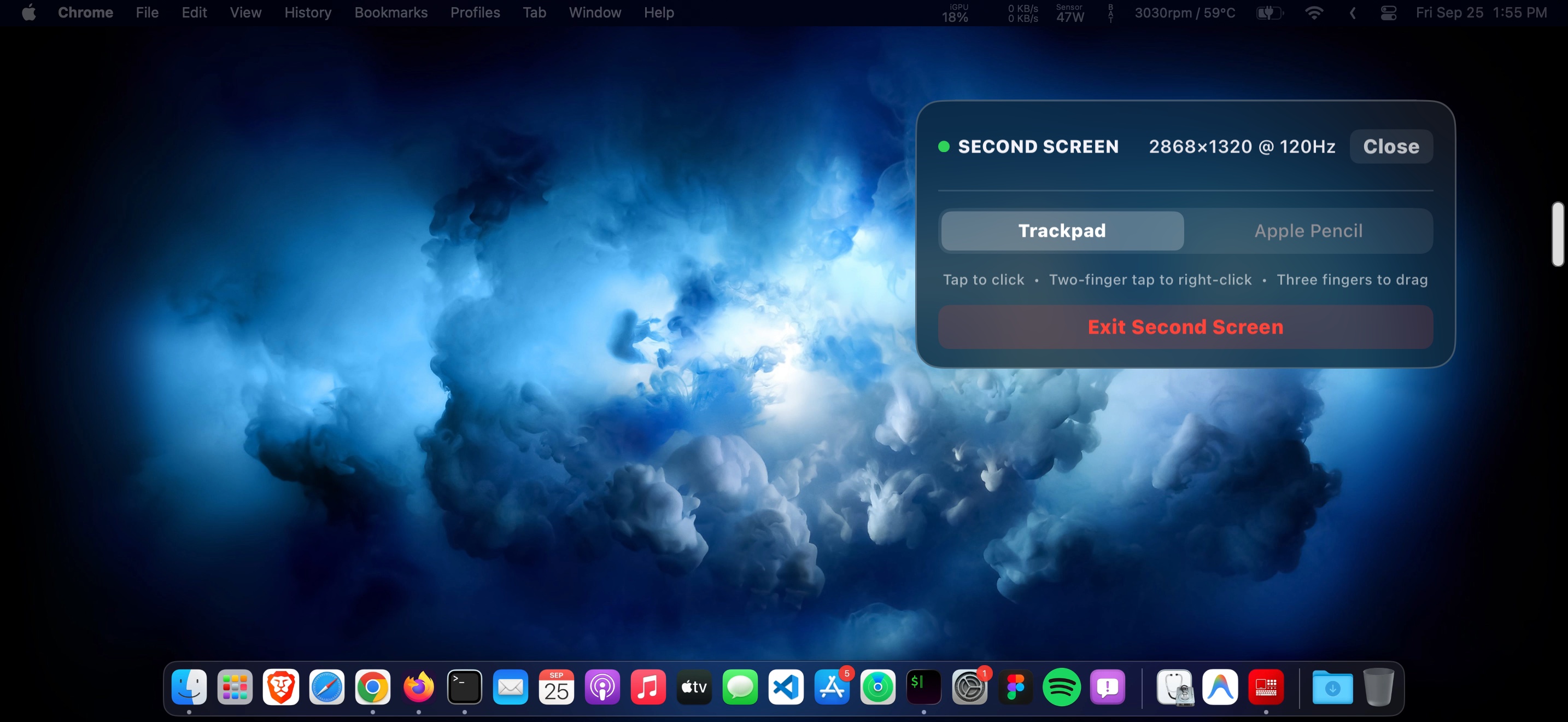
Extend or mirror your computer display on a phone or tablet, with touch and trackpad controls close at hand.
Mac display streaming is available with the desktop app. Windows can mirror without an extra display driver; Extended mode needs the optional experimental driver. Ubuntu/Linux needs compatible virtual-display and desktop-sharing support.
Explore every WingDeck feature, then open its guide for setup, platform requirements and a practical check.
macOS 0.1.19 and Windows/Ubuntu 0.1.17 include computer sharing and guided setup. Mobile features depend on your app version. Windows audio remains unavailable; Extended mode needs its optional display driver.
Deck & shortcuts
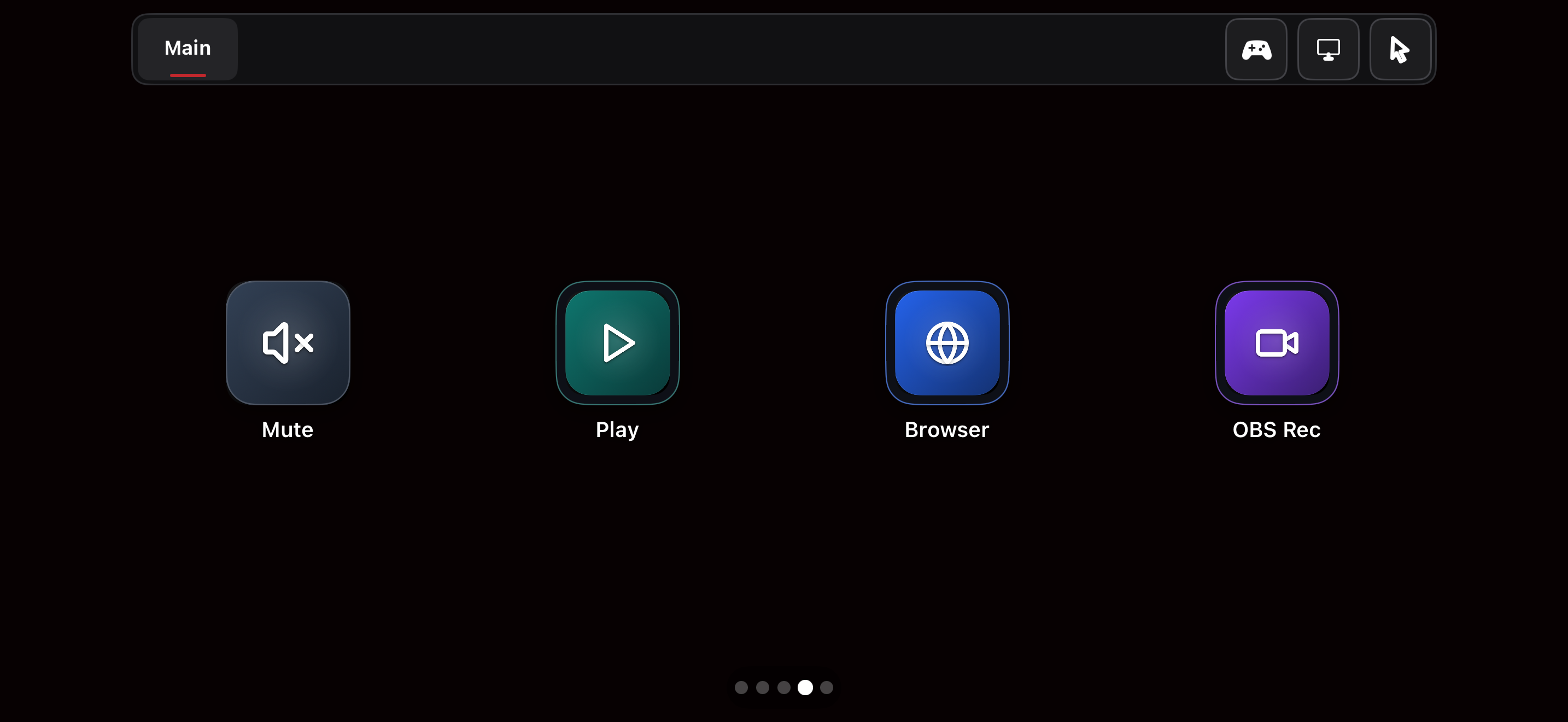
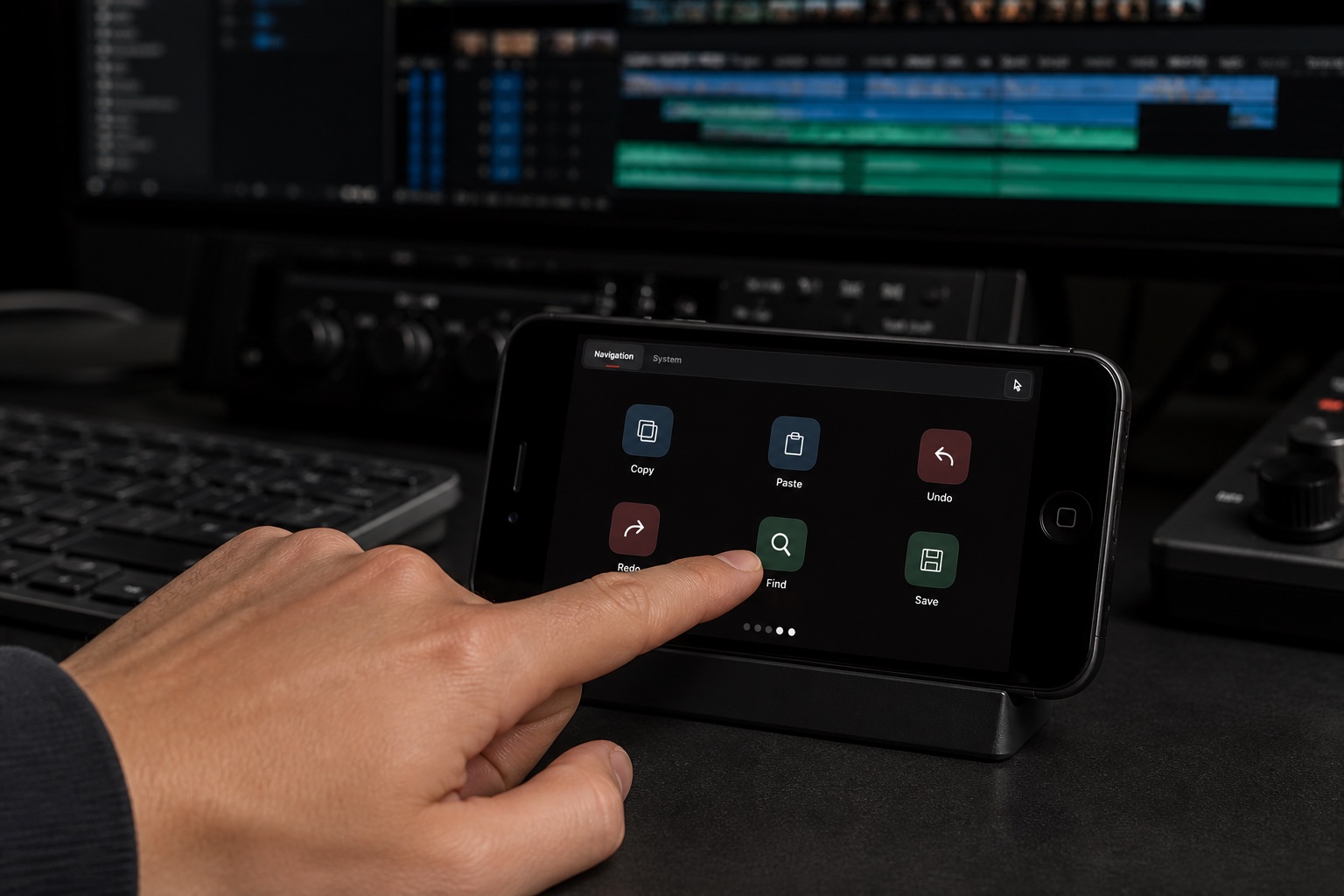
Build buttons for keyboard shortcuts, app and website launches, media, OBS, and switching profiles or pages. Customize labels, icons, colors and grids.
Familiar controls for daily tasks, alongside Second Screen, Camera, Controller and computer sharing. Available modes depend on your app version and device.
01
Deck mode
Tactile actions for focused flow.
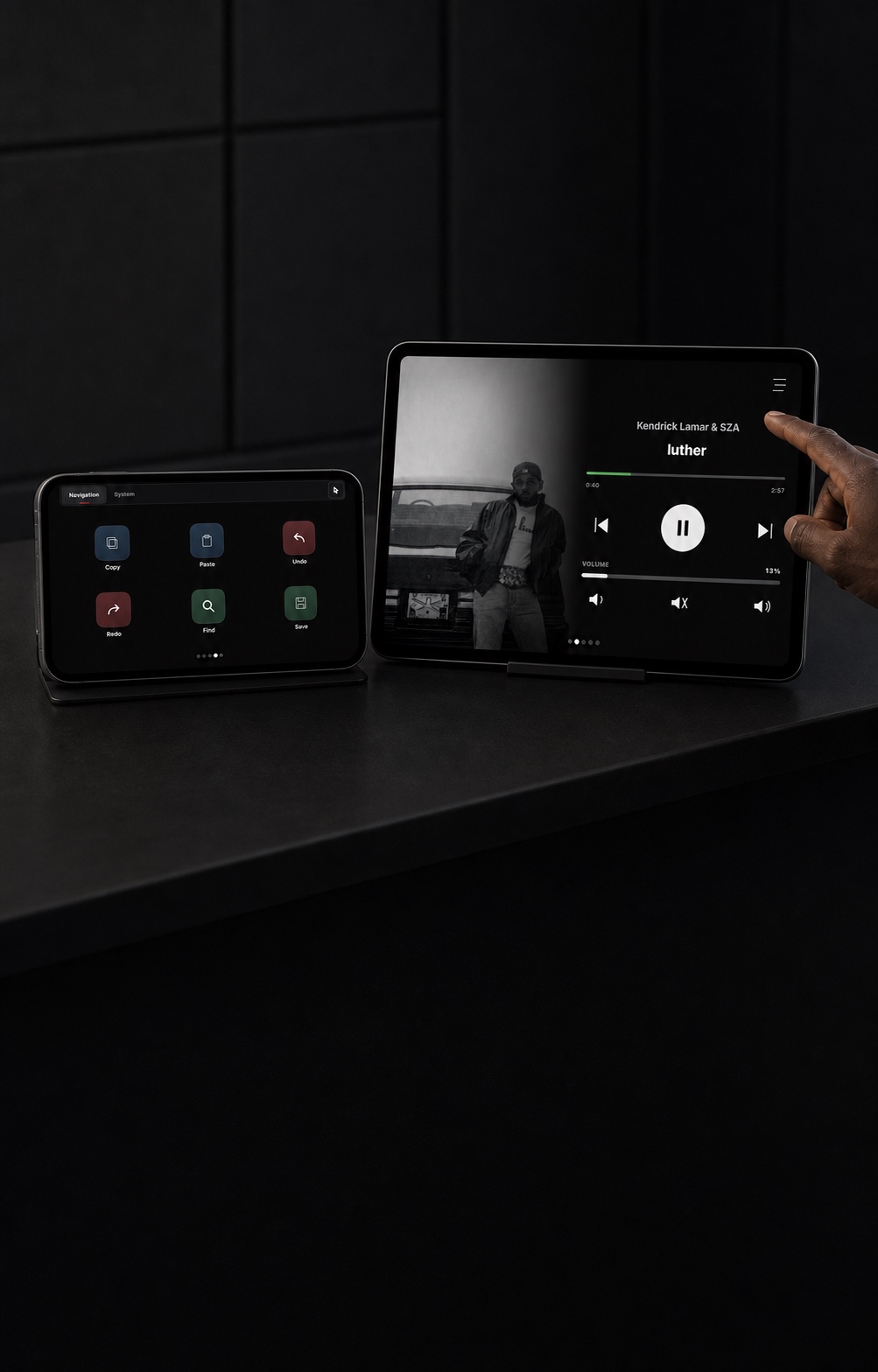
Trigger complex shortcuts, application launches, folder navigations, URL bookmarks, media controls, and live OBS Studio scene switching from responsive hardware grids.
02
Music & lyrics mode
Your music and words in sync.
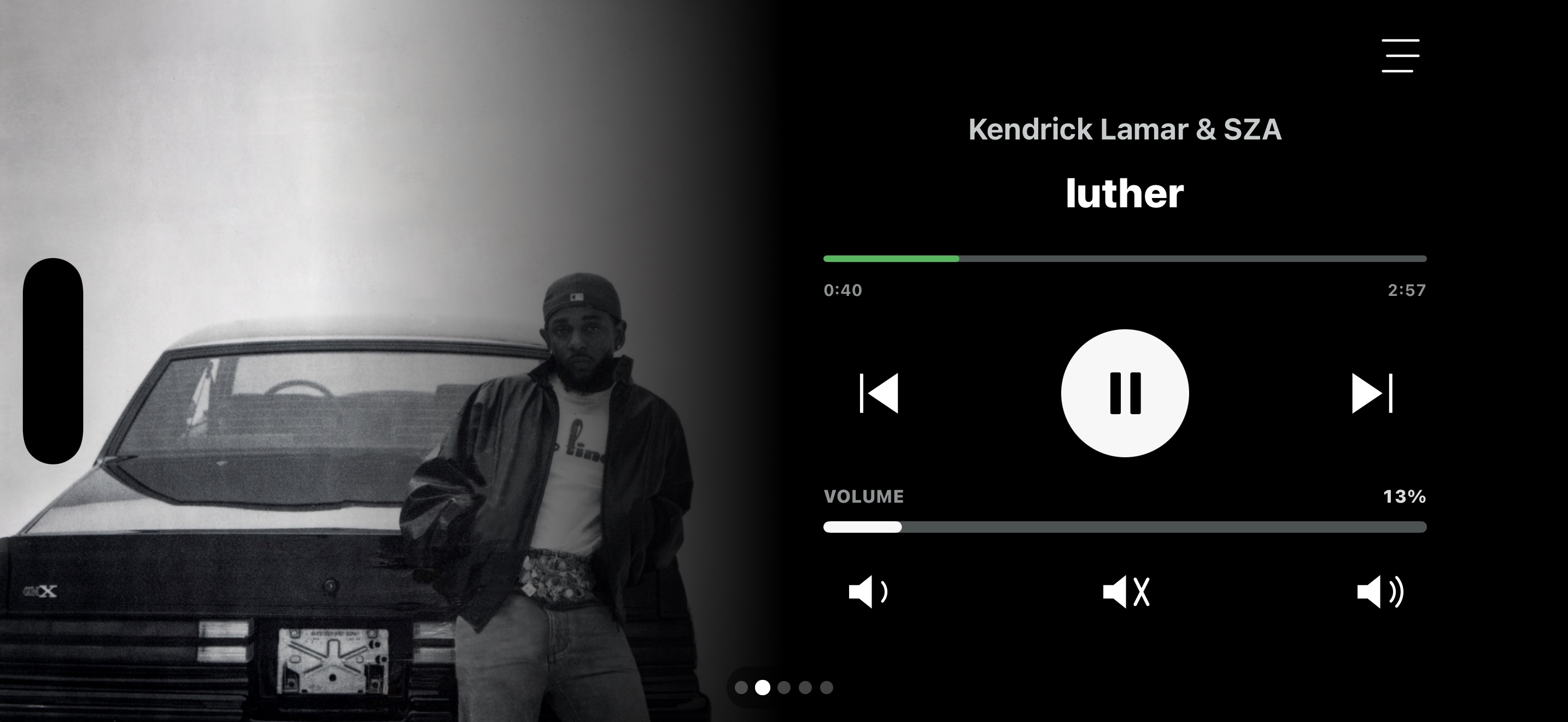
Control playback, seek, and adjust volume with album artwork and synced lyrics when available. Media support depends on the app; lyrics lookup may require internet access.
03
Input & trackpad mode
Precision control across your desk.
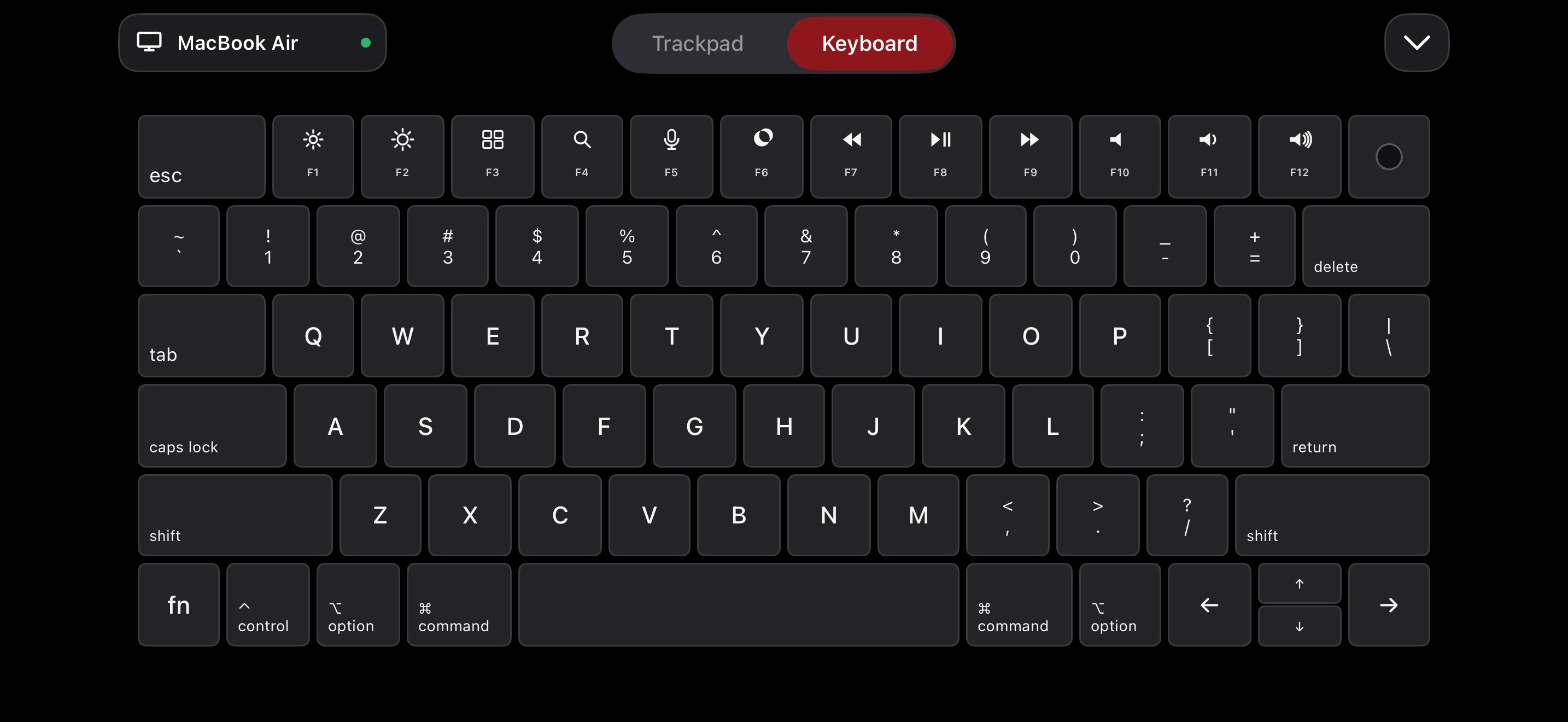
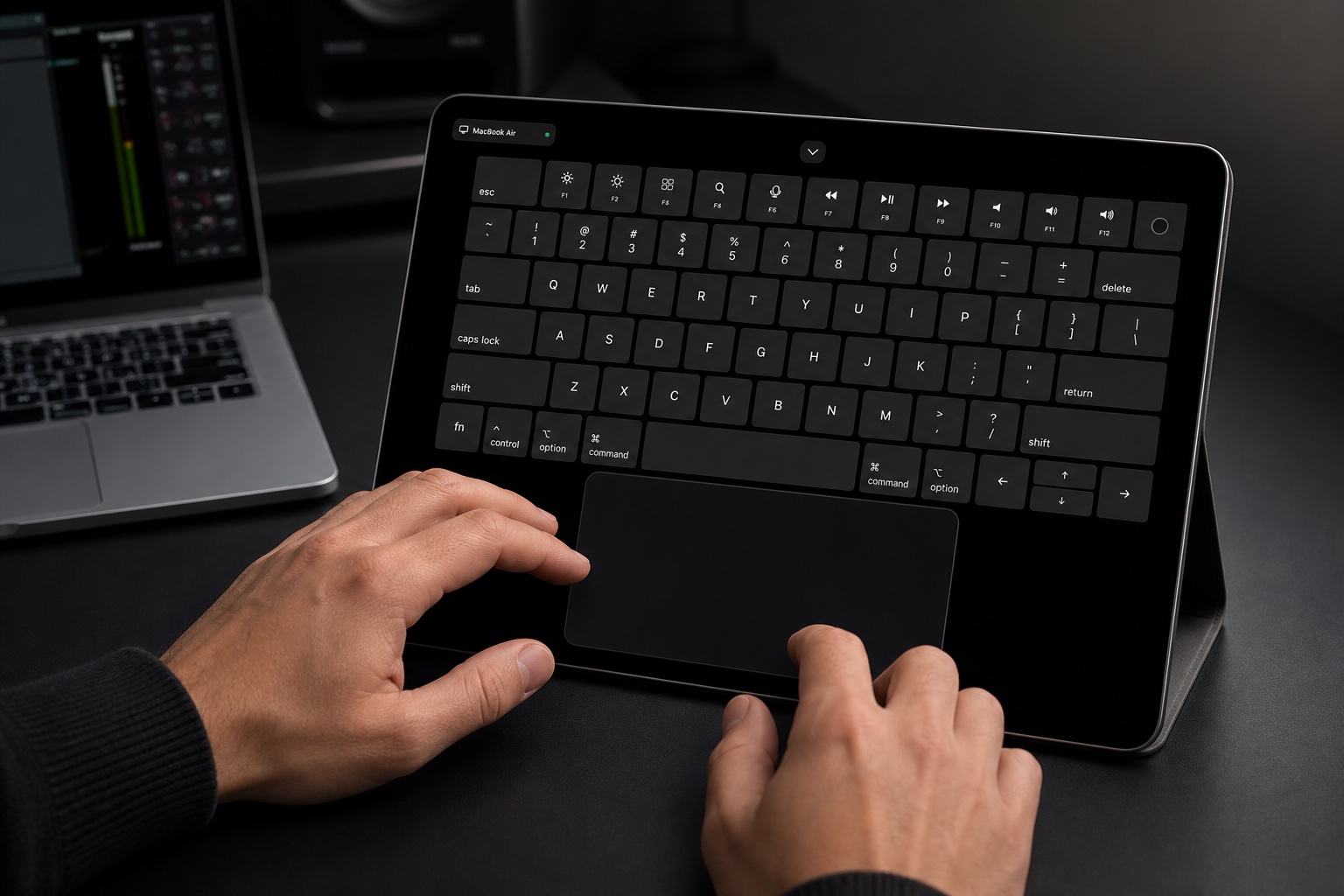
Multi-touch pointer control, two-finger scrolling, modifier keys, and optional clipboard sharing. BlackBerry Classic provides physical QWERTY and optical trackpad input.
04
System monitor mode
Hardware vitals at a glance.
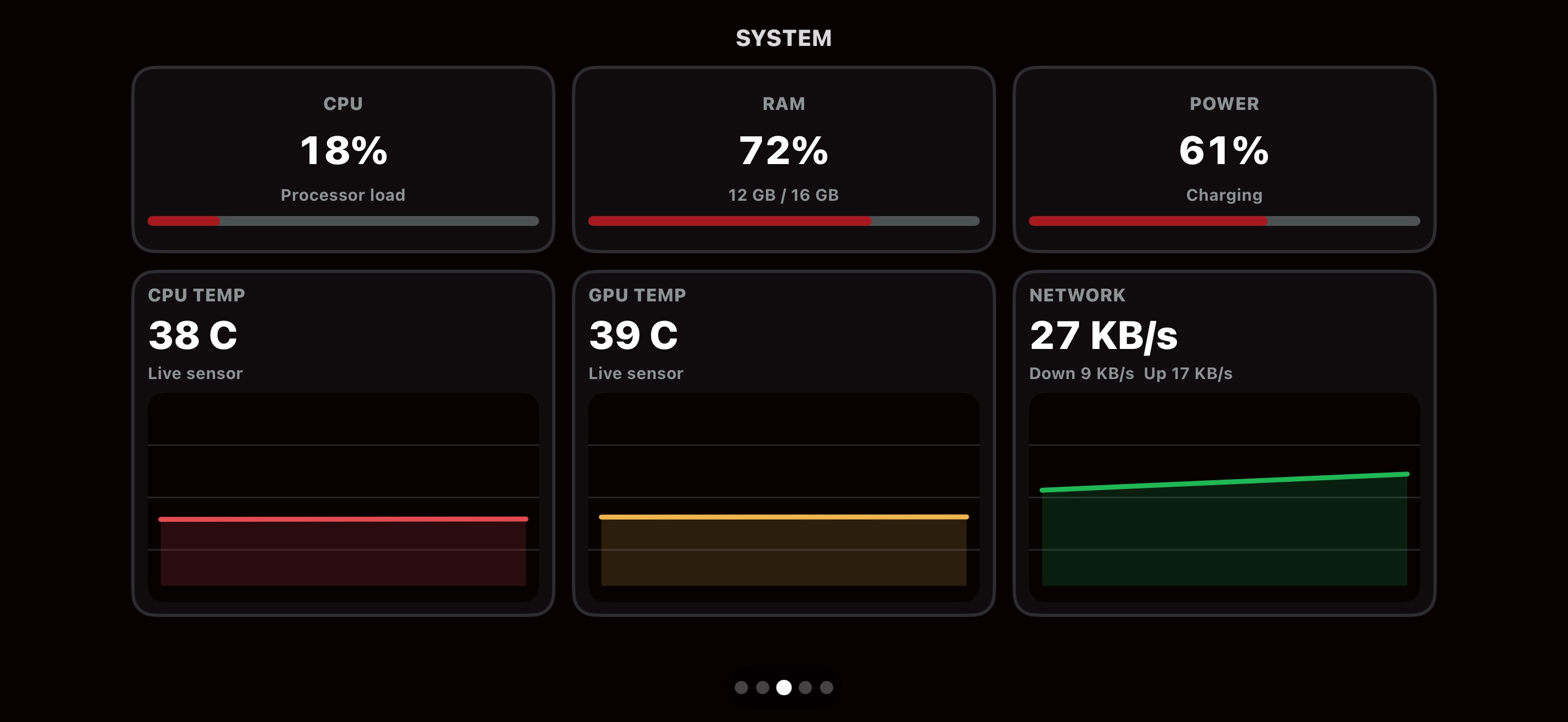
View CPU and GPU activity, memory use, network traffic, disk space, and power status. Temperature readings depend on the computer, operating system, and available sensor support.
05
Desk clock mode
Useful, even when idle.
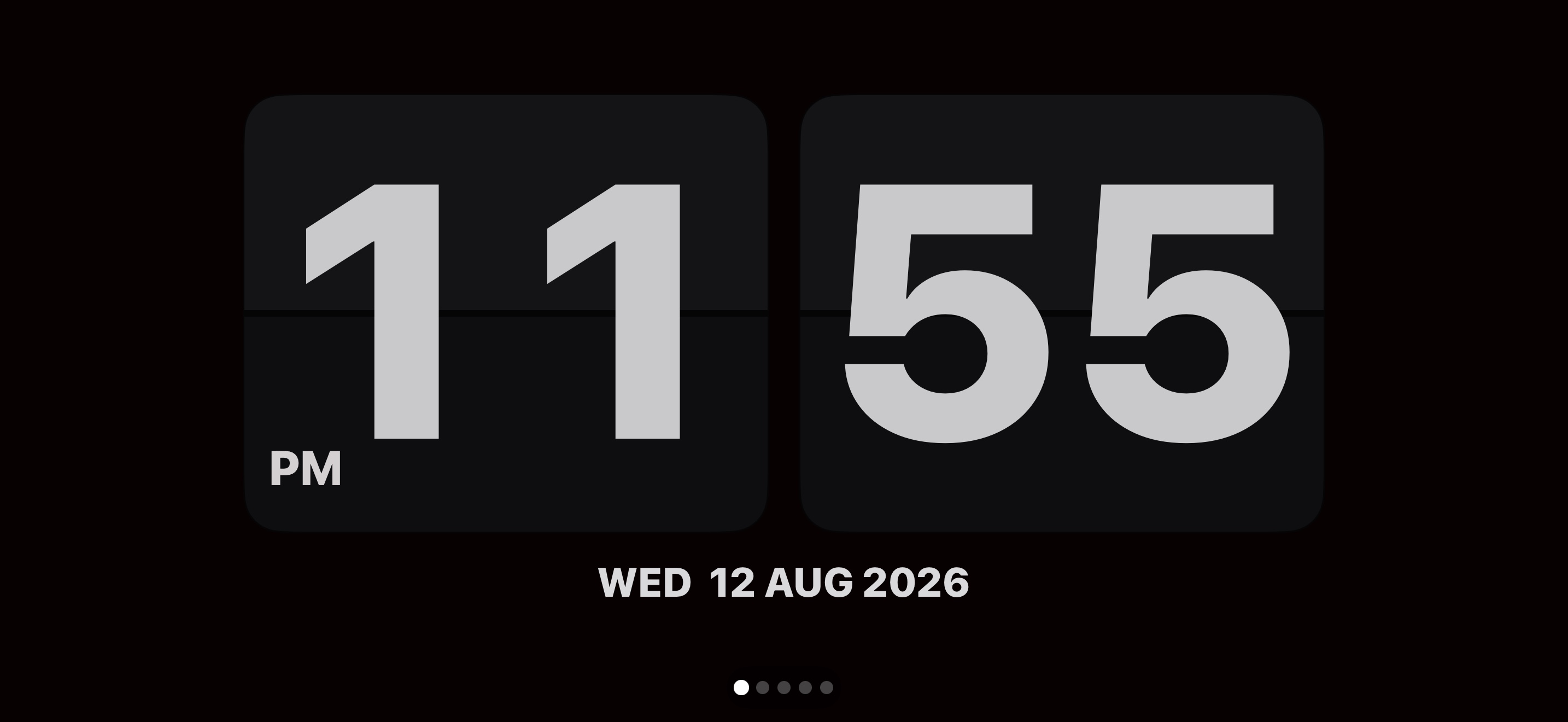
A crisp, distraction-free landscape flip clock turns any spare phone or tablet into a calm, elegant fixture on your workspace.
RELEASE HIGHLIGHTS & UPDATES
What's New in WingDeck
macOS 0.1.19 • Updated Oct 8, 2026
01
Second Screen
Extend or mirror your Mac display on a phone or tablet. Android now has a responsive Mac cursor; Windows support uses an experimental display driver.
02
Gamepad
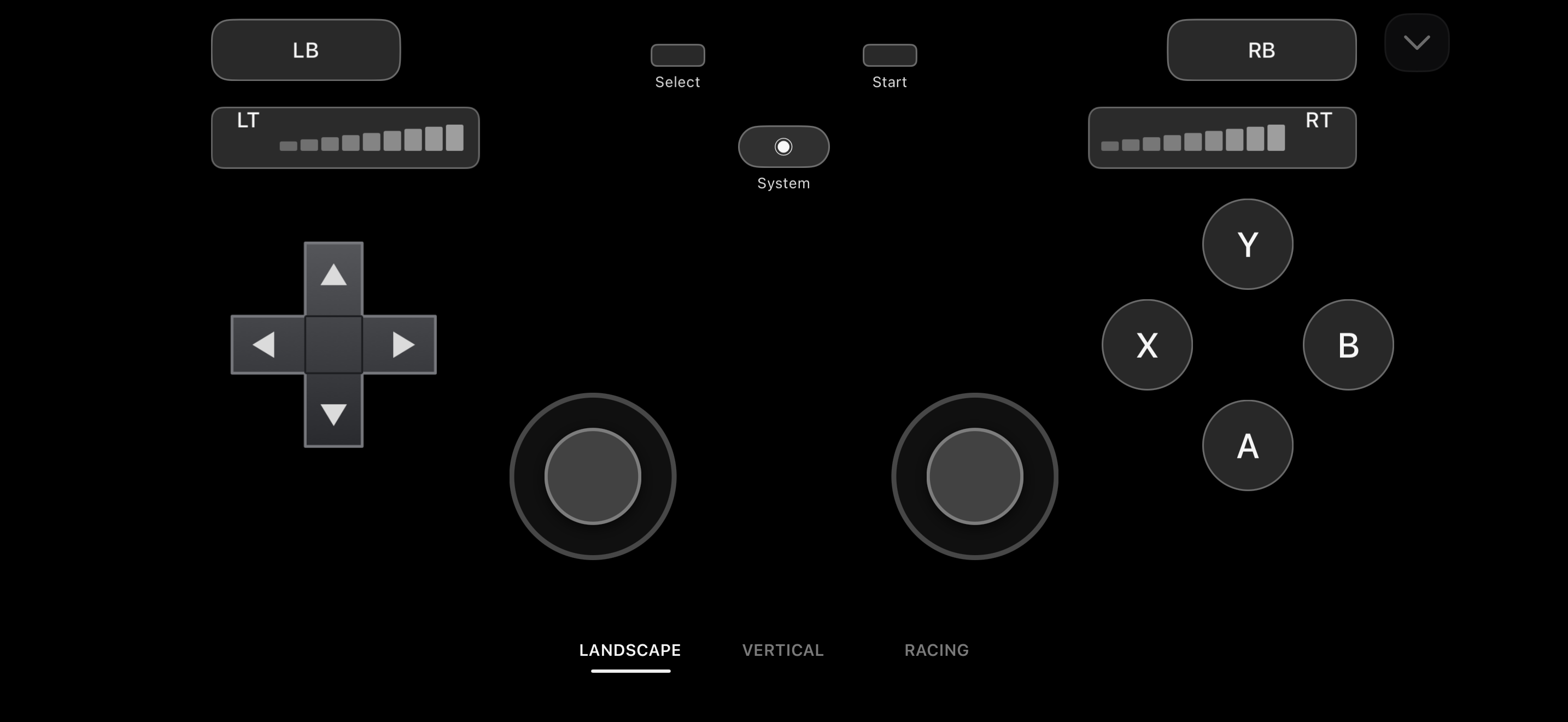
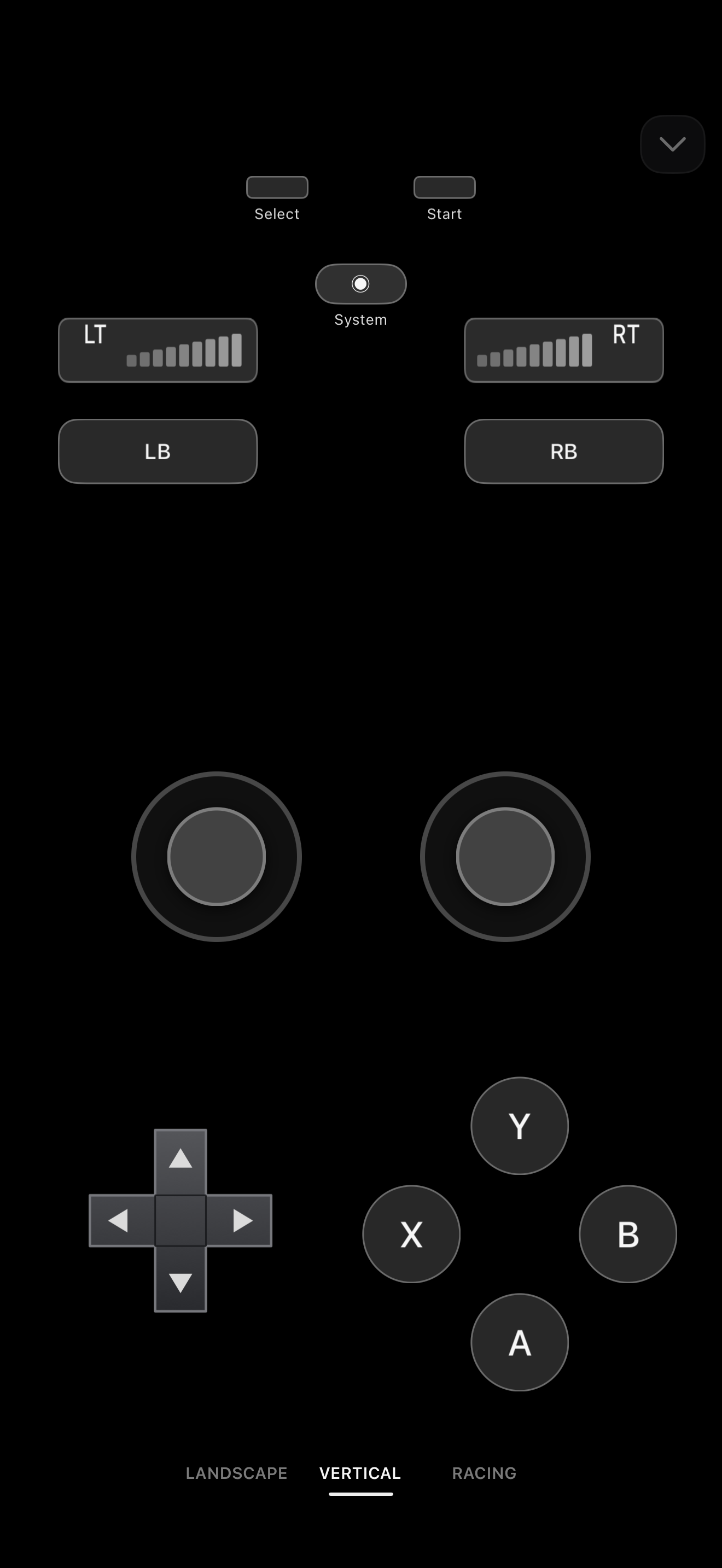
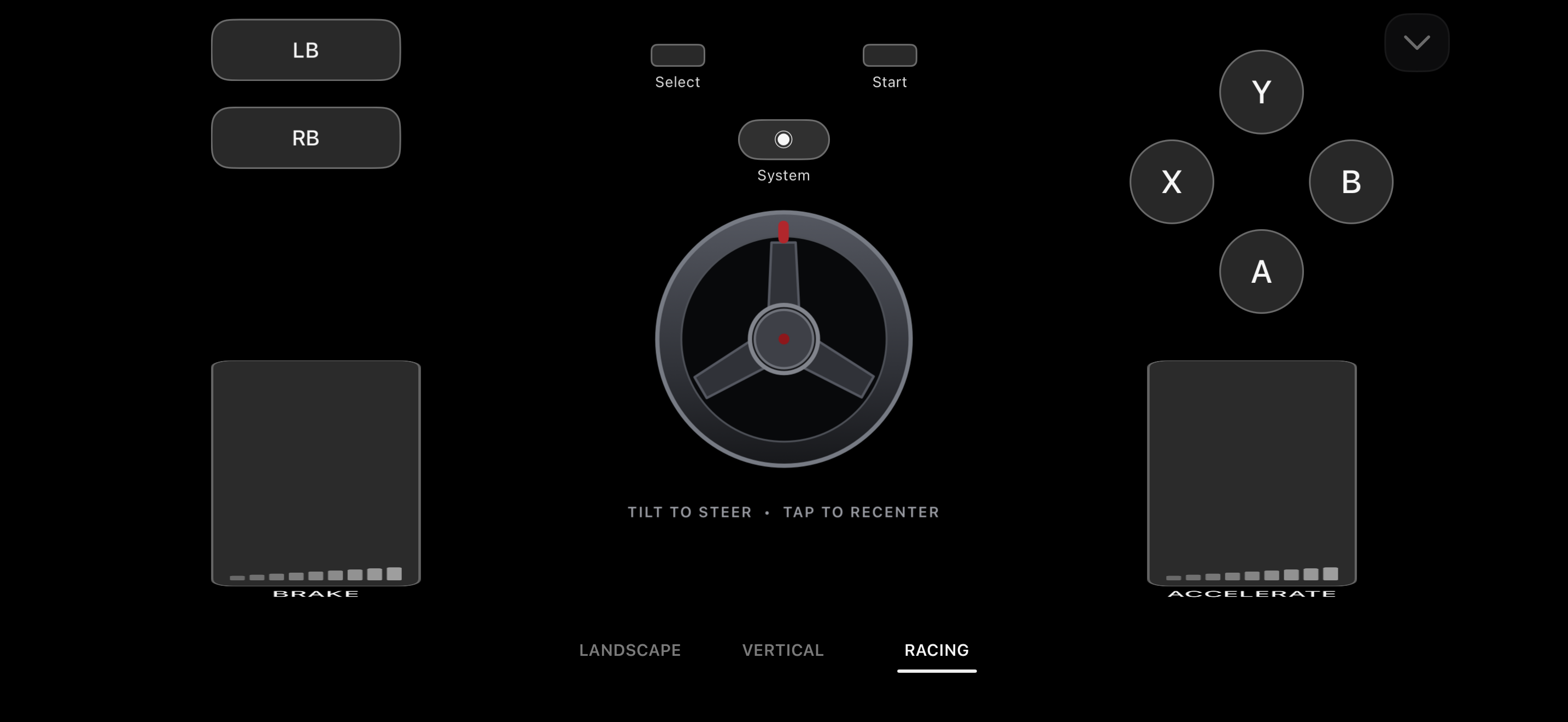
Play with landscape, vertical, or tilt-steering racing controls on your phone. Windows needs the optional ViGEmBus driver.
03
Trackpad Speed & Scroll Direction
Subtle controls now adjust cursor sensitivity and switch between Natural and Inverted scrolling.
04
Input Stream Recovery
Stalled LAN input now recovers automatically without forcing the user to reconnect.
05
Mac Four-Finger Spaces
Four-finger swipes more reliably switch adjacent full-screen Spaces on macOS.
06
First-Use Gesture Guide
New users get a concise, guided introduction to trackpad gestures and controls.
NEW
What's New
Second Screen on Android: The Mac cursor now moves independently of video, staying responsive while the stream targets 60 fps on supported devices.
Gamepad: Switch between landscape, vertical, and racing layouts with analog sticks and triggers.
Trackpad Controls: Tune cursor DPI and choose Natural or Inverted scrolling from a subtle in-mode control.
Gesture Guide: First-time users can learn taps, scrolling, dragging, and multi-finger desktop gestures inside the app.
Windows Second Screen: A separate one-confirmation setup wizard is available for the experimental x64 display driver.
Legacy Editions: iOS 12, Android 4.2+, and BlackBerry OS 7.1 packages remain available with verified checksums.
FIXED
What Has Been Fixed
macOS 0.1.19: Fix a crash at launch on Intel macOS Sequoia caused by a missing Swift runtime search path.
macOS 0.1.18: Fix repeated extra Dock icons, use native volume and mute controls, and include required macOS privacy declarations.
Multi-device USB: Connect two Android devices alongside an iPhone on one Mac. Reconnecting one Android no longer blocks the other stream.
Mac Four-Finger Spaces: Improved left and right full-screen Space switching while retaining user-selected scroll direction.
Independent Displays: Closing Second Screen on one Windows device leaves the other stream running.
Touch Intent: Two-finger scrolling is less likely to be mistaken for a tap-to-click gesture.
Connection Recovery: Temporary LAN interruptions no longer require leaving Trackpad mode or pairing again.
Built for the desk you already have.
Control that fits the moment.
WingDeck turns the screen within reach into the control surface your task needs.
01 / COMMAND
Keep controls right under your hand.
Trigger repeat actions, switch camera scenes, mute microphones, or fire macros without pulling focus away from an active timeline or live stream.
02 / INPUT
A spare tablet becomes a tactile workspace.
Combine keyboard shortcuts, modifiers, and multi-touch trackpad navigation on a larger tablet screen placed comfortably alongside your setup.
The desktop companion
One quiet command center.
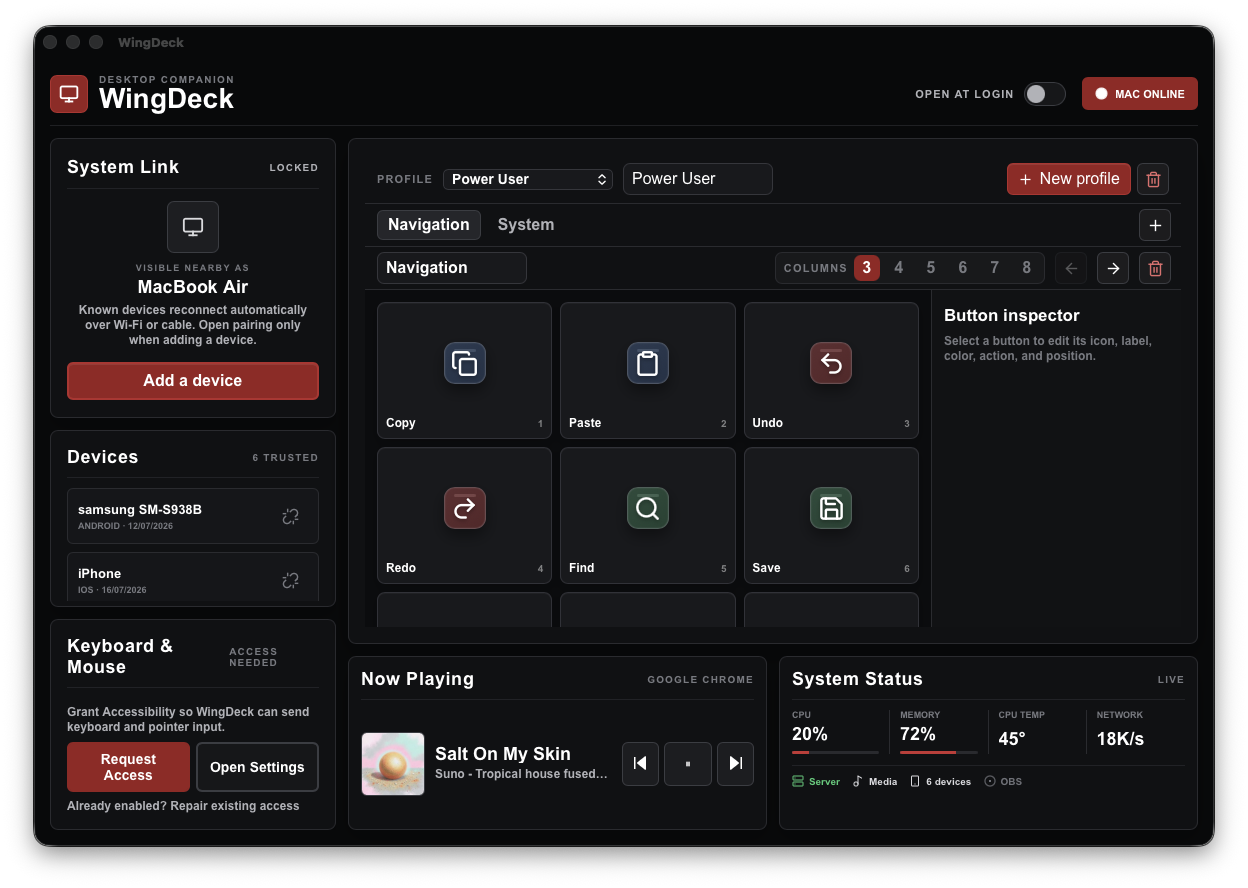
Pair devices, shape every deck profile, configure OBS Studio, inspect live system metrics, and manage authenticated device access from a native, lightweight companion.
Companion onlineActual WingDeck interface
Private by design
Fast on your network. Direct over cable.
Pair once with a quick confirmation code. Reconnect automatically. All control traffic, clipboard payloads, and media metrics travel strictly between your devices and your computer.
Connection
Local Wi-Fi or Direct USB Multiplexing (No Hotspot/ADB)
Find WingDeck on the App Store for iOS 15+ or Google Play for Android 6.0+. Store availability and wearable support depend on your device and region.
iOS 15+ (iPhone 11–16)iPadOS 15+Apple Watch Series 4–10Android 6.0+ (Pixel / Galaxy)Wear OS 2–5
Ready in minutes
Install. Pair. Take control.
WingDeck automatically discovers companions on your local network and remembers trusted computers.
01
Install the companion
Download and launch the WingDeck companion on your Mac or Windows PC.
02
Connect your device
Select Add a device on the desktop. For Wi-Fi, select your computer on mobile and enter its six-digit code. For USB, connect a data cable and accept the trust or accessory prompt.
03
Take command
Instantly swipe between Deck, Music & Lyrics, System Monitor, Trackpad, and Clock modes.
Downloads & Releases
Download WingDeck for Your Devices
Download macOS 0.1.19 or Windows and Ubuntu/Linux 0.1.17, then open the mobile App Store or Google Play listing. Legacy packages remain available below.
DOWNLOADS AVAILABLE
Desktop Apps & Legacy Packages Ready
Get WingDeck for Windows, macOS, Ubuntu/Linux and older mobile devices here. For modern phones and tablets, use the App Store or Google Play listing.
HOST COMPANION
Desktop Apps for Mac, Windows & Linux
Runs quietly in your system tray or menu bar to host device pairing, deck triggers, media, and hardware monitoring.
MACOS (UNIVERSAL)
WingDeck for Mac
Universal build for Intel (x86_64) and Apple Silicon (arm64) Macs with background tray operation and menu bar sensor gauges.
Use the Setup installer for guided USB, webcam and controller setup, or Portable for an installation-free app. Choose the architecture that matches your Windows PC.
Setup prepares compatible Android USB support and the webcam. If WingDeck reports missing support, follow Finish Windows setup inside Devices and wait for its result.
Ubuntu 24.04+ x64: the .deb installs dependencies and prepares supported USB, virtual input and webcam access. An AppImage is available for compatible Linux desktops.
Engineered specifically to breathe life into vintage hardware. Ad-free, lightweight standalone builds designed strictly for older operating systems.
RESTRICTION
Hardware Compatibility Restriction
Legacy packages are designed for older operating systems. For iOS 15+ or Android 6.0+, use the modern store listings below.
ANDROID (VINTAGE BUILD)
WingDeck APK
Limited to Older Devices
Intended for Android 4.2–5.1. For Android 6.0+ phones or tablets, use the modern Google Play edition.
Compatibility Edition for Android 4.2 Jelly Bean (API 17) through Android 5.1 Lollipop. Completely ad-free, lightweight, and requires no Google Play services.
Updating from v0.1.4? Record any settings you need before uninstalling the old Compatibility Edition; uninstalling clears app data. v0.1.5+ uses the production signing certificate and cannot install over the old test-signed package.
For 64-bit devices running iOS 12, including iPhone 5s, 6, 6 Plus, iPad Air 1, iPad mini 2/3, and iPod touch 6G. Install this legacy IPA with a sideloading tool; the modern App Store edition requires iOS 15+.
Native Swift/UIKit package for iOS 12.x. 100% free, standalone, and completely ad-free legacy edition with low-latency stream-based WebSocket and direct USB multiplexing (USBMuxd).
WingDeck's desktop companion host and vintage legacy builds are completely free to use. If WingDeck powers your desk setup or gave an old device a second life, consider supporting the creator on Ko-fi or Saweria.
Everything you need to know about connectivity, compatibility, and local-first security.
Which WingDeck features are still in testing?
The macOS companion is a stable release. Windows Second Screen uses an optional experimental display driver. Check the Releases section for platform versions and downloads.
Does WingDeck require an internet connection or cloud account?
WingDeck control traffic stays between your paired devices over local Wi-Fi or USB; no WingDeck account is required. Downloads, ads, purchases, lyrics lookup, and update checks can use online services. Optional analytics require consent; see the Privacy Policy for details.
Can I connect multiple devices to the same computer simultaneously?
Yes! The WingDeck desktop companion supports simultaneous multi-device connections. For example, you can mount an iPad as your primary macro deck, an old iPhone as a dedicated music & lyrics monitor, and an Apple Watch or Android phone as a wireless trackpad.
How does direct USB connection work without hotspot or ADB debugging?
WingDeck uses USBMuxd for iPhone/iPad and Android Open Accessory for supported Android devices. A data-capable USB cable carries control traffic without Personal Hotspot, tethering, root, or developer ADB setup. Required host USB support varies by platform; speed and charging depend on your hardware.
How does the monetization and subscription model work across different devices?
WingDeck uses a transparent platform-specific monetization model: Desktop Companions (macOS & Windows) and Legacy Sideload Mobile (iOS 12, Android 4.2, & BlackBerry OS 7.1) are 100% Free, standalone, and completely ad-free. Modern Store Editions (iOS 15+ App Store & Android 6.0+ Google Play) are free to download with non-intrusive banner ads, with an optional WingDeck Premium subscription or rewarded ad passes to remove ads.
Why are legacy iOS 12, Android 4.2, and BlackBerry editions completely ad-free?
Legacy operating systems can no longer support modern advertising SDKs. Rather than bloat or break vintage hardware, we engineered the legacy APK, IPA, and COD builds to be clean, standalone, and completely ad-free utilities specifically designed to give older devices a productive second life on your desk.
Why is iOS 12 only available via sideloading instead of the Apple App Store?
WingDeck’s modern App Store edition requires iOS 15 or newer. We provide a separate free, ad-free legacy IPA for supported 64-bit devices running iOS 12. Install it with a sideloading tool such as AltServer and renew its signing when required.
How does WingDeck work on vintage BlackBerry OS 7.1 devices?
WingDeck Classic is a native Java client built directly against the BlackBerry OS 7.1 Java APIs. It turns your BlackBerry (such as the Curve 9220/9320 or Bold 9900) into a tactile PC companion. You can roll the optical trackpad for mouse cursor control and scrolling, type on the physical QWERTY keyboard with native hardware key repeats and modifier shortcuts (Alt, Shift, SYM combos like Ctrl+C), and control media playback using tactile hotkeys (J/K/L and Z/X/C) with lightweight album artwork.
Which media apps work with Music & Synced Lyrics mode?
WingDeck reads the media controls and metadata exposed by supported apps through the desktop operating system. Playback controls, seeking, artwork, and lyrics availability vary by app and track. Lyrics lookup can require internet access; not every player exposes all features.
What should I do if Windows SmartScreen or macOS Security displays a warning?
The direct Windows 0.1.17 downloads are unsigned. Compare their SHA-256 with the Releases table before using More info → Run anyway if SmartScreen appears. Do not disable SmartScreen system-wide. On Mac, install the notarized DMG into Applications and follow WingDeck’s preflight for any required permissions.
Support the Project
Help Keep WingDeck Free & Independent
Desktop hosts and legacy sideload packages are developed independently by SDMV with zero ads and zero locked pro features. If you enjoy the desktop companion or revived an old tablet, your donations directly fund build servers, domain costs, and legacy hardware testing.
100% Free Desktop Host
Full desktop companion features, hotkey triggers, media hooks, and USB multiplexing are completely free.
Vintage Device Preservation
We actively build and test native packages for 10+ year-old hardware (iOS 12, Android 4.2, & BlackBerry OS 7.1) to prevent e-waste.
Independent Development
Created by SDMV with local-first values. No venture capital, no cloud dependencies, and complete data privacy.
Support on Ko-fi
Global / International Donations
Support through PayPal, credit cards, Apple Pay, or Google Pay. Help fund continuous updates, new deck plugin integrations, and hardware testing.
Please review these terms and liability limitations regarding the use of WingDeck software, mobile subscriptions, and legacy packages.
Software Warranty Disclaimer
The macOS companion is a stable release. Windows Second Screen uses an optional experimental driver. Current version numbers are listed separately for each platform in the Releases section. Desktop companions, mobile applications, installer binaries, and legacy packages (APK, IPA, & COD) are provided on an "AS IS" and "AS AVAILABLE" basis without warranties of any kind, whether express, implied, statutory, or otherwise, including but not limited to implied warranties of merchantability, fitness for a particular purpose, non-infringement, or error-free operation.
Limitation of Liability
To the maximum extent permitted by applicable law, neither SDMV, WingDeck developers, nor contributors shall be liable for any direct, indirect, incidental, special, consequential, or punitive damages arising out of the download, installation, sideloading, or use of this software, including but not limited to device damage, data loss, system instability, or network disruptions.
Sideloading & Vintage Scope
Legacy packages (Android APK, iOS IPA, and BlackBerry COD) are distributed for vintage hardware and compatibility testing only. Sideloading, modifying device settings, trusting developer certificates, and installing unsigned software are performed entirely at the user's sole risk and discretion.
Modern App Subscriptions & Advertising Disclosure
Modern mobile applications on the Apple App Store and Google Play include advertising served by Google Mobile Ads and an optional auto-renewable monthly WingDeck Premium subscription to remove ads. Subscriptions are billed through your Apple Account or Google Play account, renew automatically unless cancelled at least 24 hours before the billing cycle ends, and can be managed or cancelled anytime in your OS account settings.
Third-Party Trademarks Notice:Apple, macOS, iOS, iPadOS, watchOS, iPhone, iPad, Apple Watch, and App Store are trademarks of Apple Inc. Android, Google Play, and Wear OS are trademarks of Google LLC. BlackBerry is a trademark of BlackBerry Limited. Microsoft, Windows, and SmartScreen are trademarks of Microsoft Corporation. OBS and OBS Studio are trademarks of their respective owners. Stream Deck is a trademark of Corsair Gaming Inc. All other product and company names mentioned are trademarks™ or registered® trademarks of their respective holders. WingDeck is an independent software project developed by SDMV and is not affiliated with, authorized by, sponsored by, or endorsed by any of these trademark owners.